
iOS 14 lets you change your default browser from Safari to Google Chrome. How do you do that? It’s possible after the last update of the second app.
iOS 14 is currently in beta and Apple has already announced that in this system it will allow you to change the default web browser and email client to other applications. The first ones are Safari and Mail. In the meantime, the first program can already be replaced with Google Chrome. How to do it?
How to replace the default Safari browser from iOS 14 with Google Chrome
To replace Safari with Google Chrome, you first need to have a device with the iOS 14 beta installed. This option will probably appear for all iPhone users later this month. We guess that this update in its final form will be made available before the end of September. The release date should be announced during the upcoming conference.
Then you need to have the current version of Chrome from the App Store. After installation, go to the Settings section and find the application here. Then go to the Default browser option and change it from Safari to the Google program here. From now on, links will be launched in the new application.
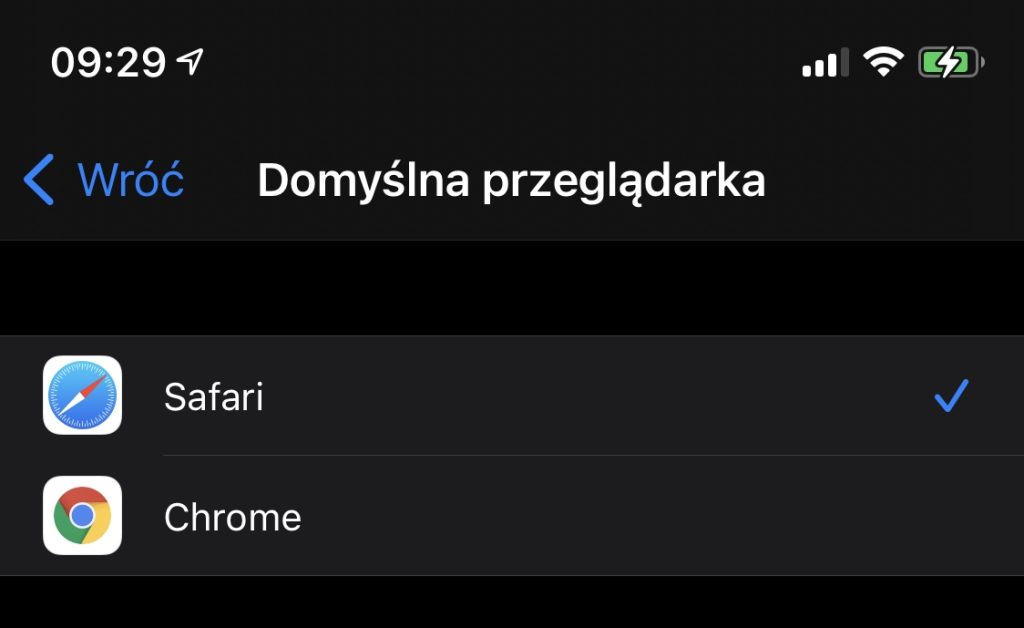
For now, such a change in iOS 14 is only possible in the case of Google Chrome. This is due to the fact that developers are responsible for adapting their own applications to this function. However, we can assume that updates to other programs for browsing Internet resources will soon appear, which will receive such an option. It’s only a matter of time.


